
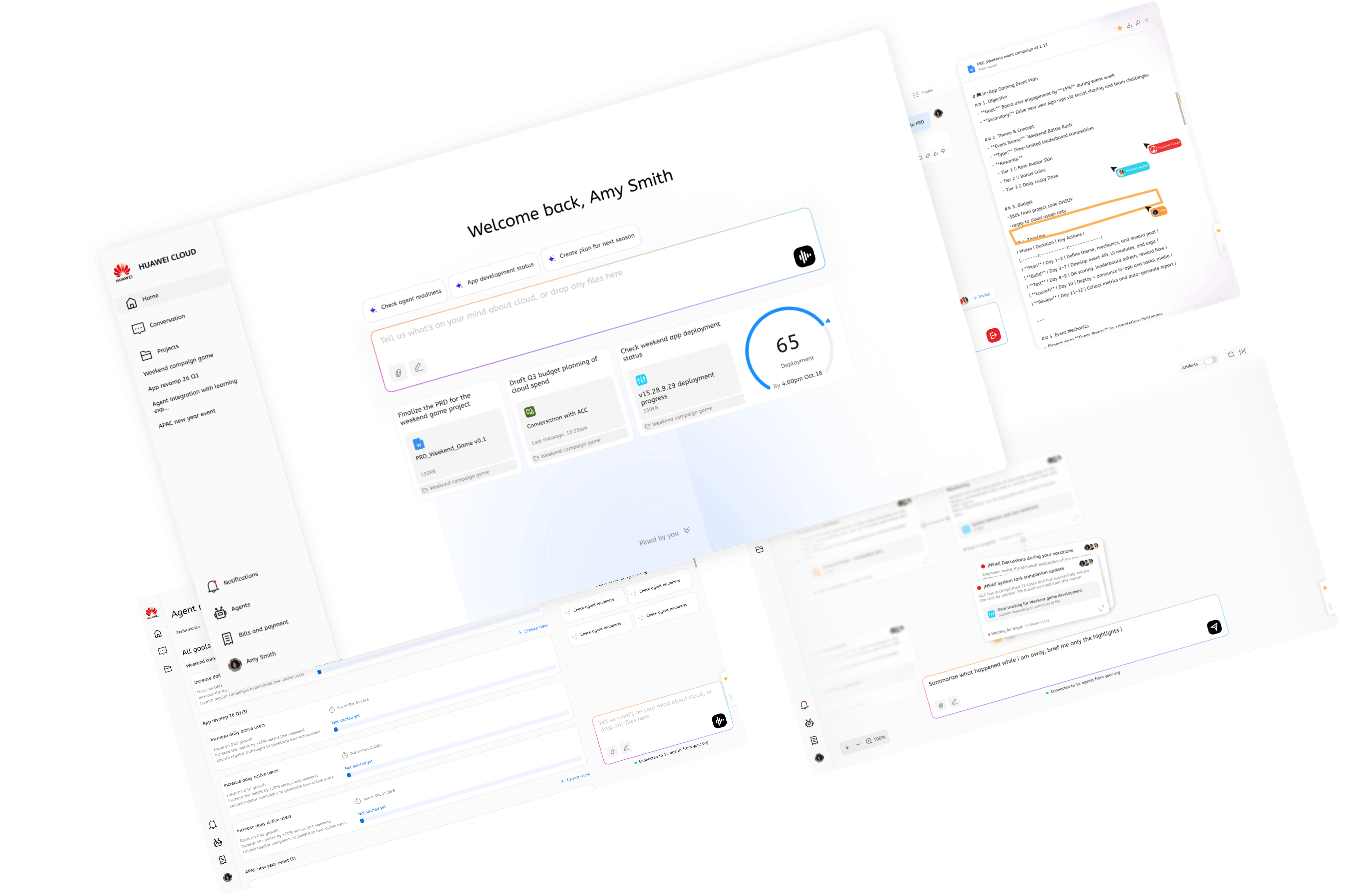
About this project
Based in Toronto Research Lab, the UX team is positioned to ship design innovation to UED department in headquarter. We pitch back, get buy-in with more investment on new project initiatives. In that sense, the team here operates like a small start-up.The project focus is about redefining cloud console experience with future agentic AI capability.
Strategy: from user and AI together
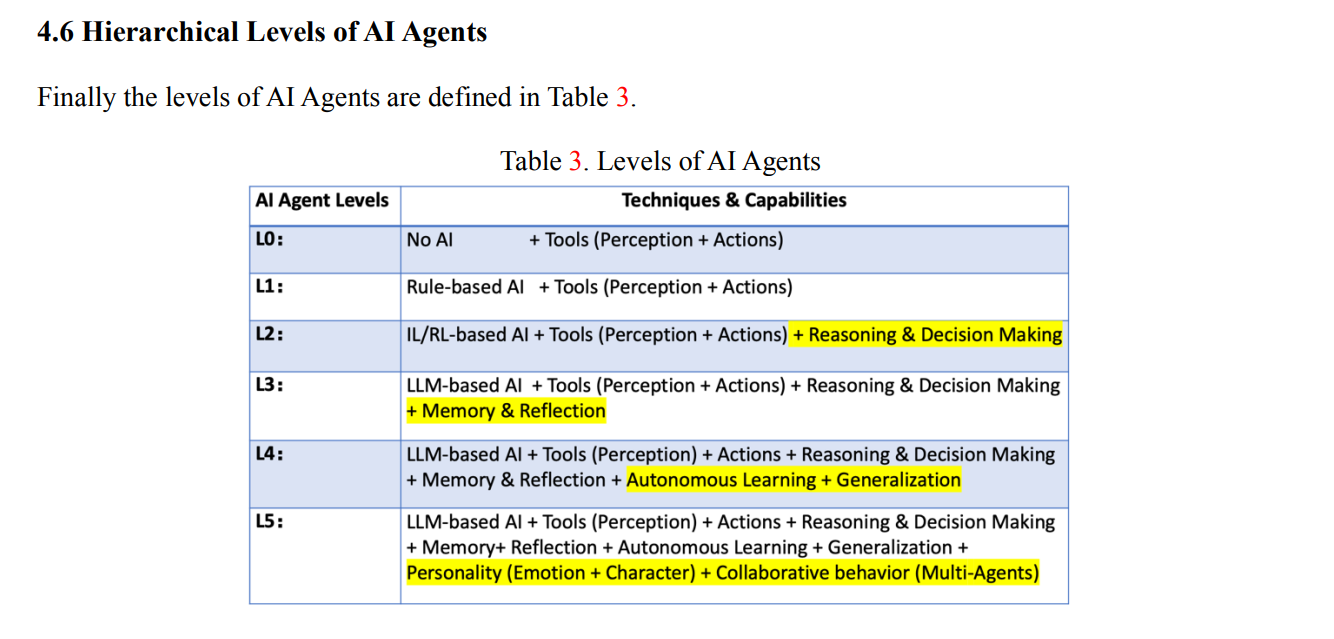
It’s an interesting setup because, unlike a regular project, an innovation project begins with specific pre-conditions. For us, the shared understanding of L5 agent adoption is just as foundational as defining the users and their problems. As a result, our approach to the solution differs from the traditional Double Diamond model. We incorporate the broader AI landscape—specifically the five levels of AI—and bring those assumptions directly into the experience design. This aligns with the AI × UX methodologies referenced by Google and Microsoft.”
User problem
Preliminary research
So, who are our users and how are they doing in current Huawei Cloud console? We pulled up the quarterly customer satisfaction research from User Research team and from the scores and voices analyzed top issues on current console. Our target users are console users, of course. They are Cloud DevOps, SRE (Primary) App developer (Secondary).
As a matter of fact, the industry they are working in, their country and their experience level with cloud are also important factors, but in this project, we are targeting at general issues, and with AI landscape which will be mentioned later, the capability will enable hyper-personalization.

There are another sources of user problems, which are from our potential users in other cloud vendors. Competitors more or less implement somewhat level of AI in console already.

User interview *but came across constraints
Focus group is carried our with our recruited users from platform. But we found it quite interesting when most people, when introduced about L5 AI being fully autonomous, their expectation basically is a “Hey ” command and console completes the tasks by itself.
Turn to Expert interview
We realized for innovation experience, regular users cannot picture properly since most of them are too trapped in their empirical thinking. Their pain points are objective, but their expected solutions are too subjective. It is like we dive deep enough but then sort of need some other input to push us above the surface of user solution. We tried to reach out to experts in cloud and AI (staff in the lab and professors we collaborated with). Having cocreation or interview with them, revealed several important clues for us:
- technology wise, L3 level of AI is capable of executing tasks from reasoning. L5 is indeed capable of doing everything without human intervention.
- experience wise, human do not trust AI initially, even in the future
- trust is closely related to complexity of task vs capability of AI
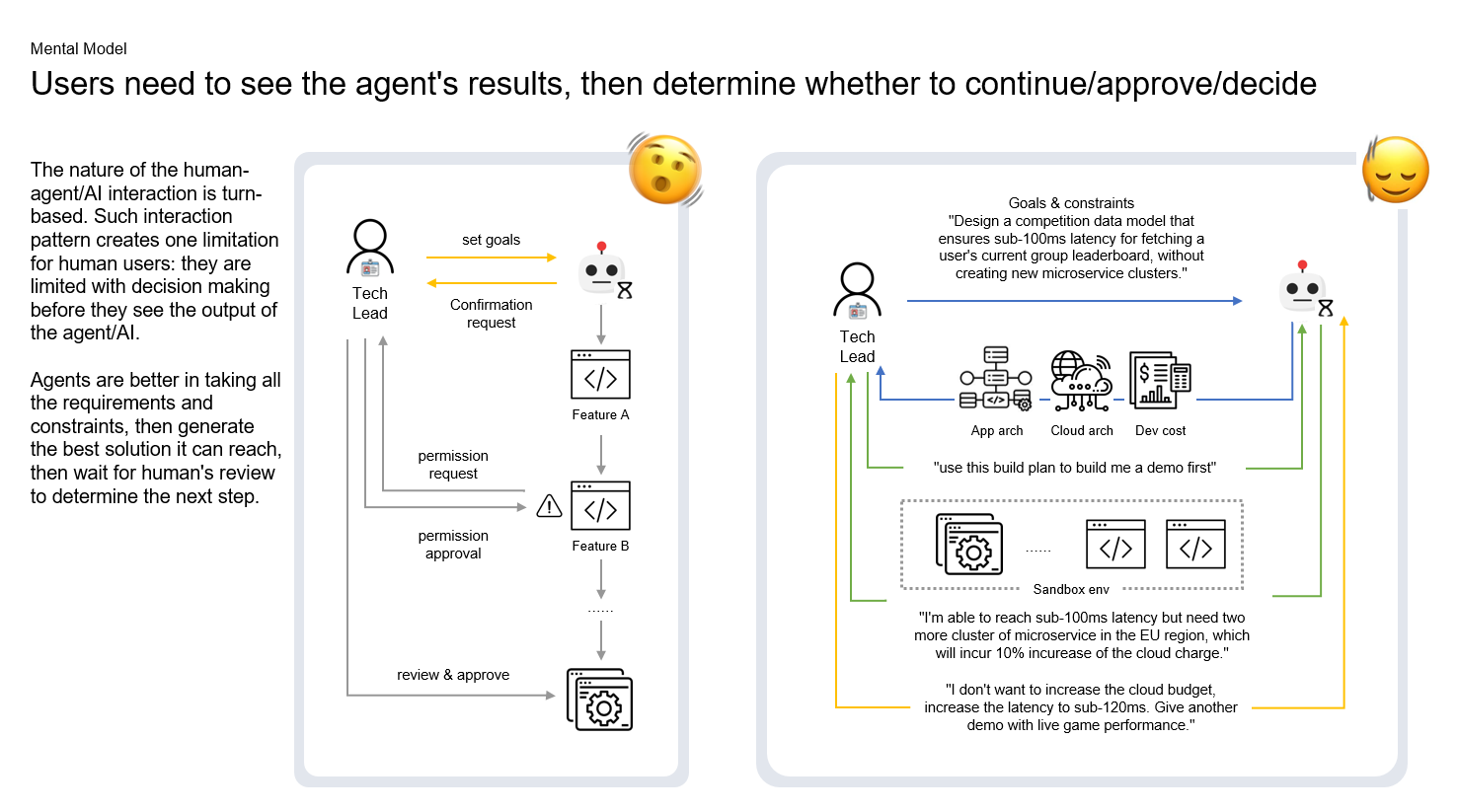
- even in the future, they are workflows requires human in the loop
What if you cannot use any US-based tools?
As Huawei is in the sanction list from the states, we are not allowed to use any us-based tools. Yes, we CANNOT use Figma, and a lot more. Even though we try to reach out to Figma sales person directly in Linkedin, there is no reply : (
There is a tough time for us as we only use Chinese Figma alternatives. I led team to explore multiple workarounds, like Penpot which is open source deisign tool.
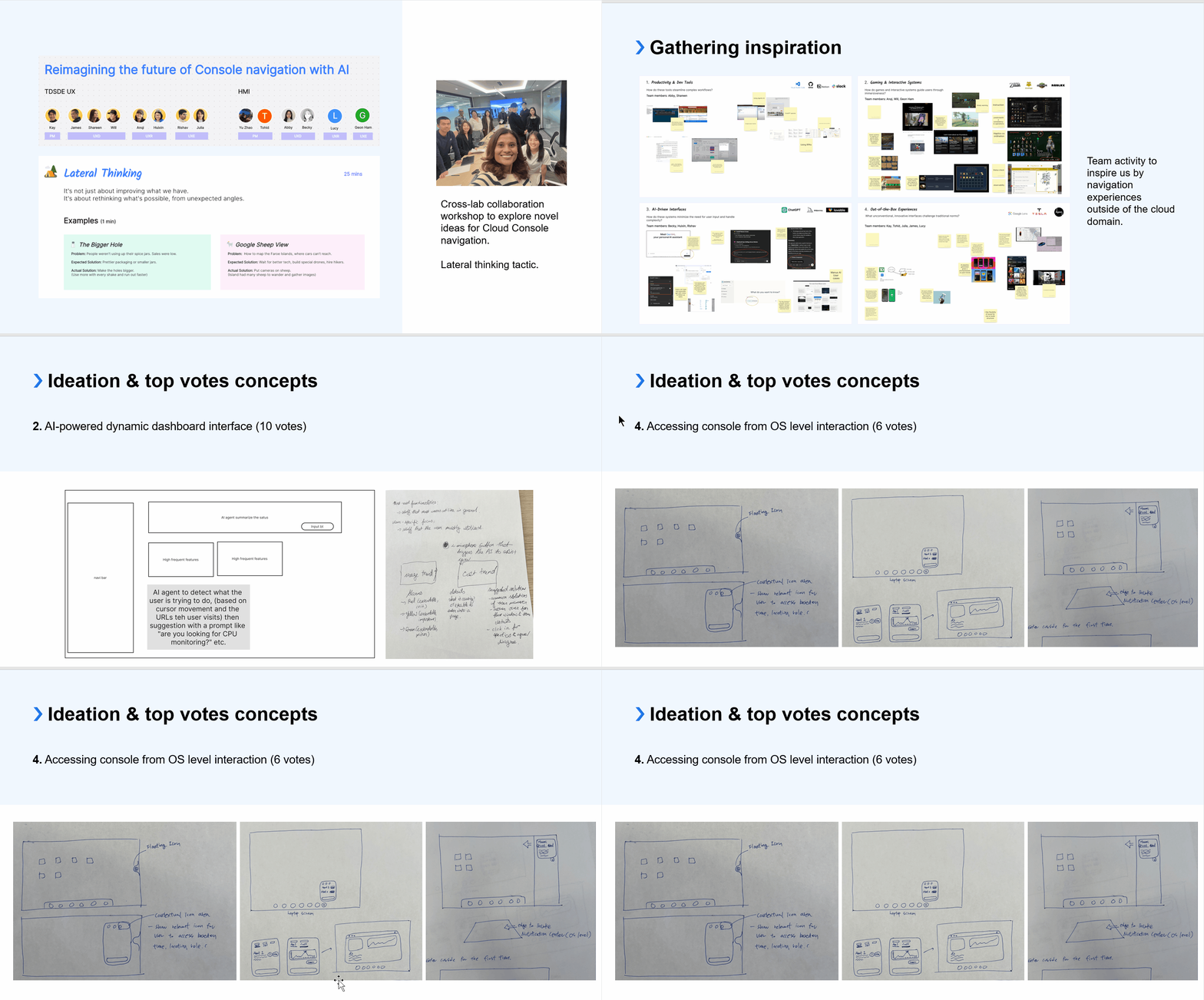
Later on , I initiated a workshop internally, called AI for UX, to identify what are the AI tools that we can use under sanction, covering user research and design. We don’t want to be left behind by the sanction, instead we want to leverage the flexibility of smaller team to accelerate.
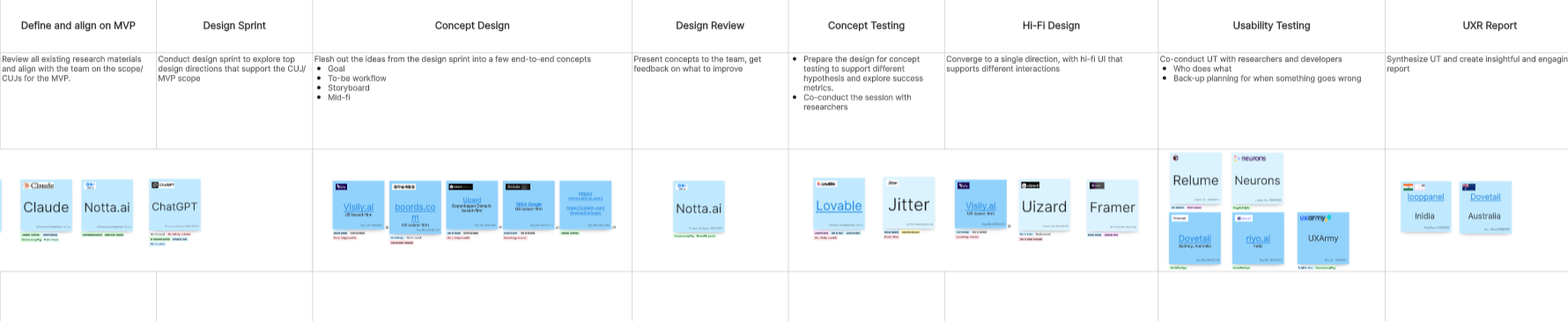
Conceptual design, X times faster with vibe designing
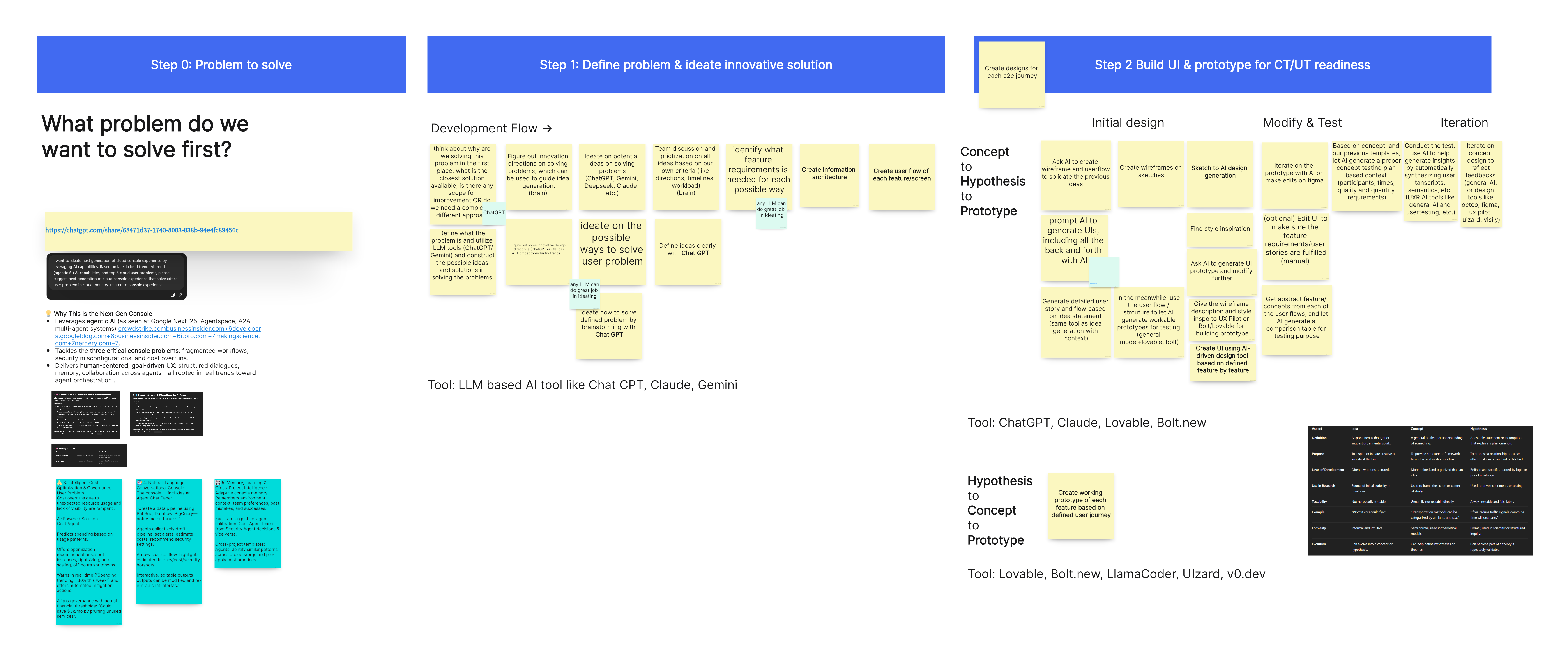
We adopted Tempo.new, a vibe coding tool created in Toronto and allows granular design updates based on generation. 2 designers of us created 6 concept design within 2 days and quickly deployed to user testing by our researcher. This is 2.5 time faster than last year when we spent an entire week creating interactive prototypes.
Core concepts - intent based UX
The directions we got for concept design come from a match between user painpoints and AI empowerment.
Iterations are created to represent each idea with a single demo.
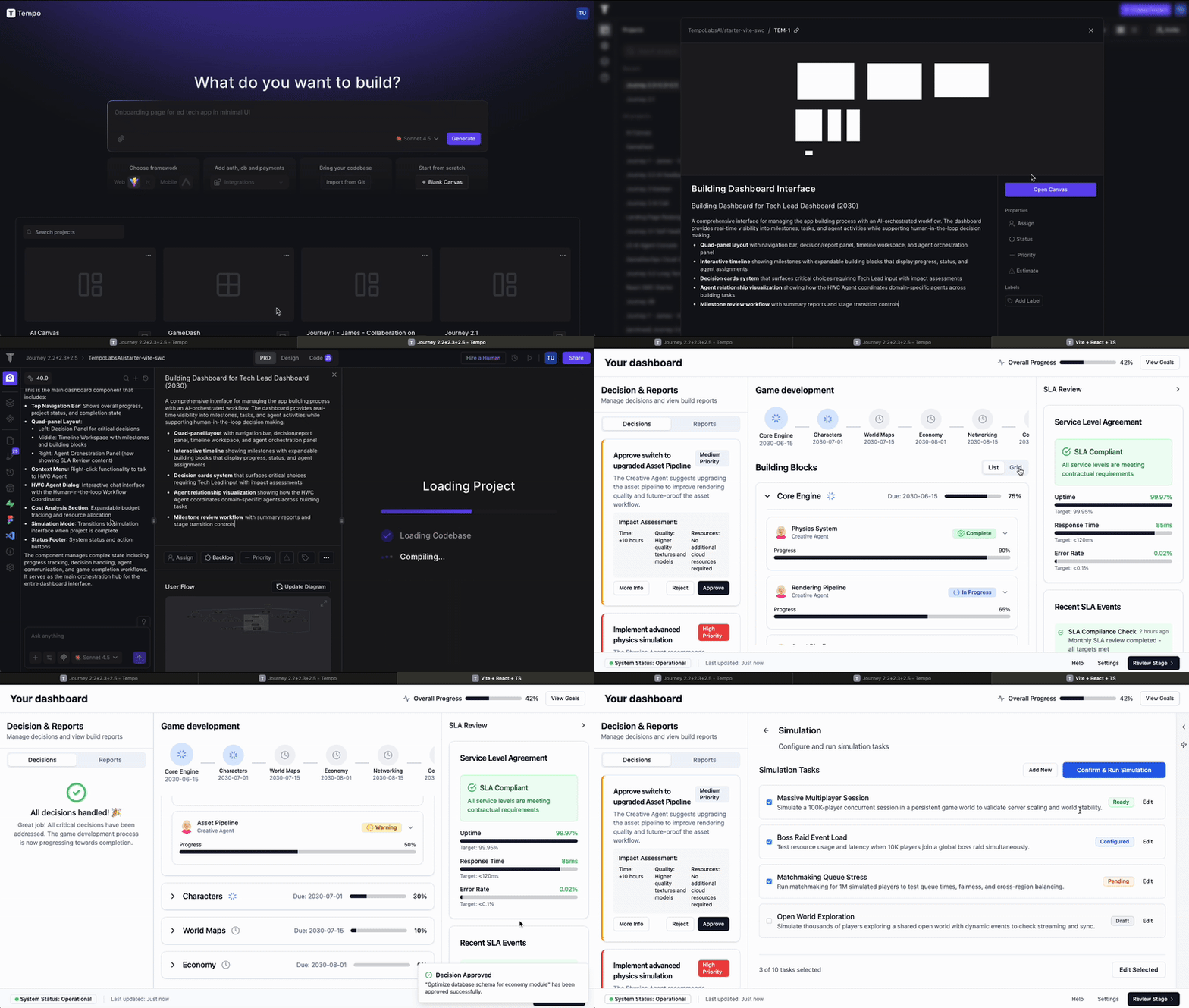
Users are 80% experts and 20% regular cloud users. With the more visualized and interactive demo, they can quickly immerse themselves in probable future we pictured.
The core problem with the concept, is that user don’t expect a granular human in the loop design. For a fully autonomous AI, user is expecting it to be a human-like agent, providing complete outcome for iteration and trust building.
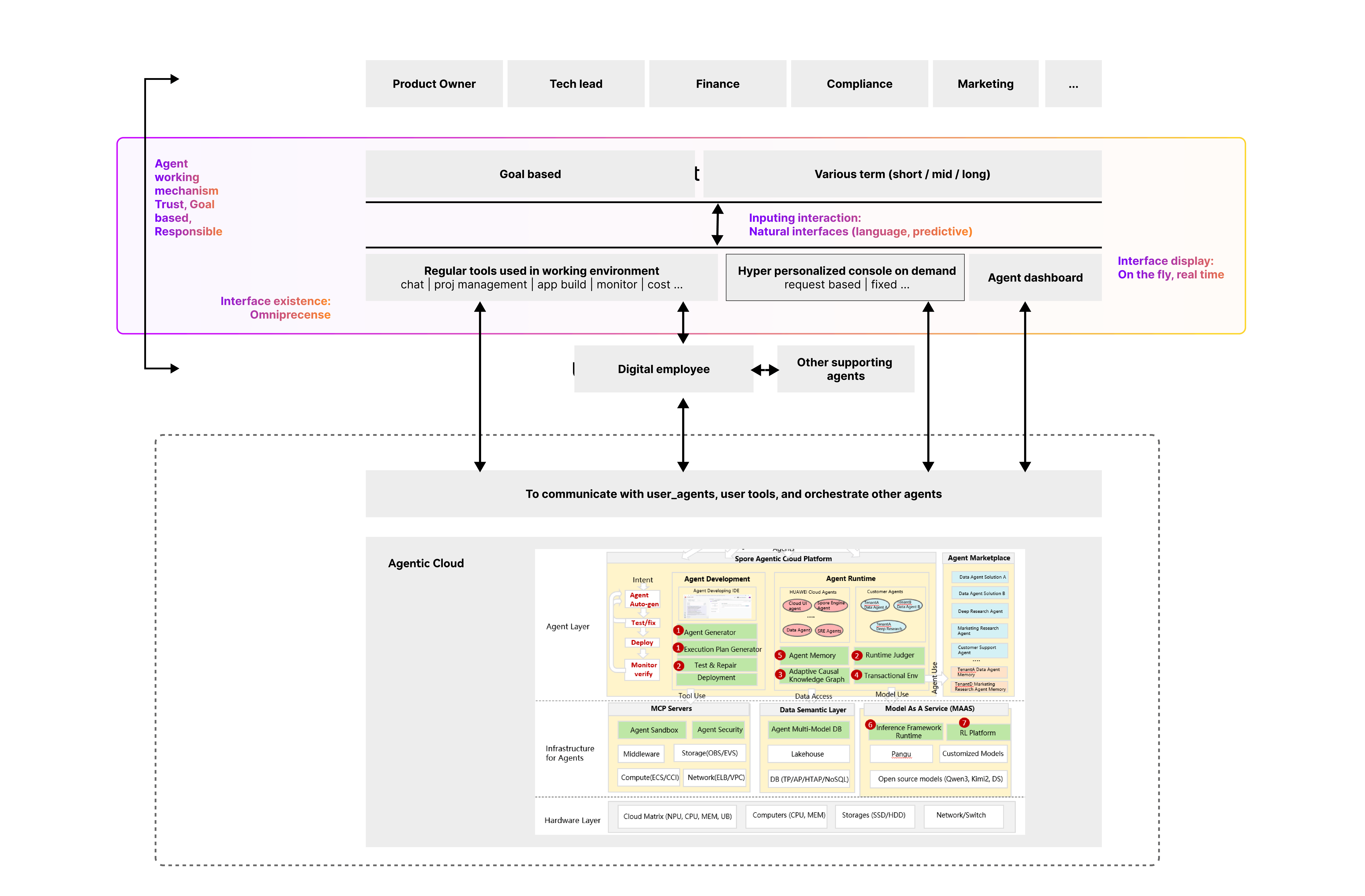
Defining IA, defining cognitive experience
While all the previous design is focusing on solving cloud experience with AI, there do exist another important perspective for us : what is future experience with AI ?
We approached IA design when we think about this perspective, because we need to define the scope or definition of “console”.
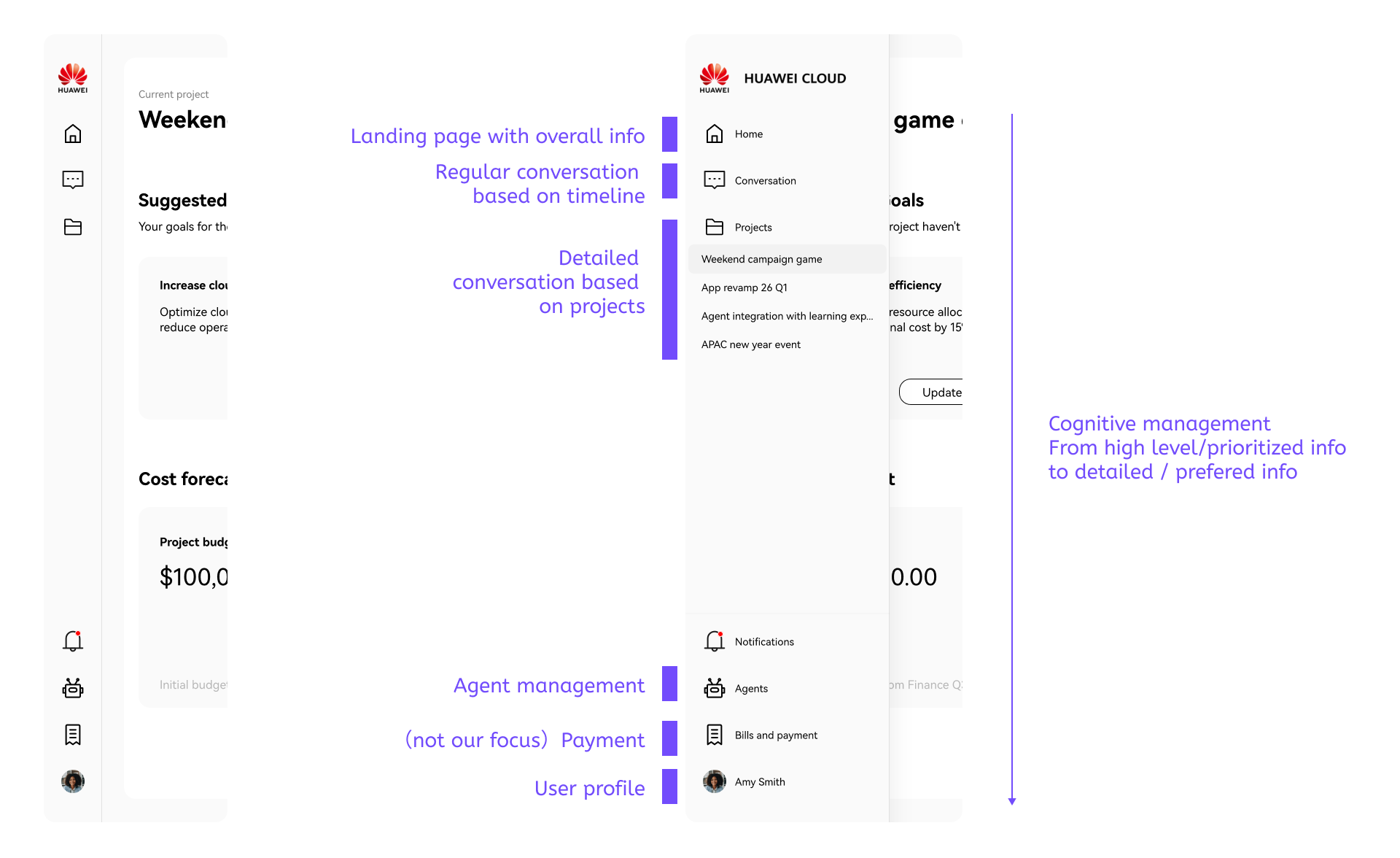
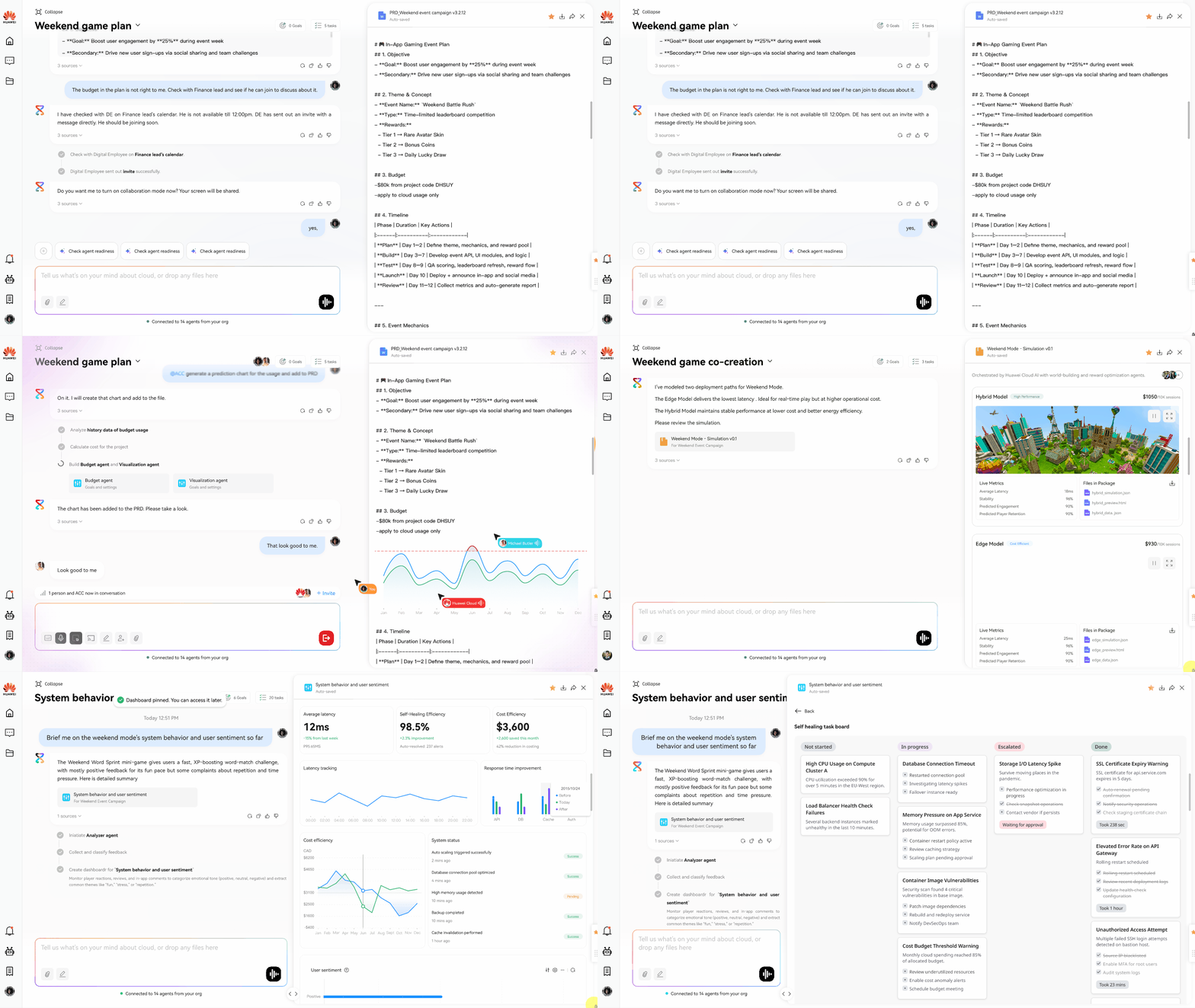
Omnipresent as one of the core concepts, with human-like working manner, I defined a positioning for the future console. Each touchpoints represent how users should interact with “console agent” throughout their daily life. Essentially we are designing for the their attention or cognitive experience with console.
Moving forward, we start iterating on the console app itself. A major discussion in on the homepage, on iteration 1, I have designed a GenUI based dynamic+hyper personalized dashboard which is totally generated in real time for users. It is still AI powered, but team has concerns on how “console-like” it looks and how traditional it might look to our audience - leaders in headquarter when we pitch.
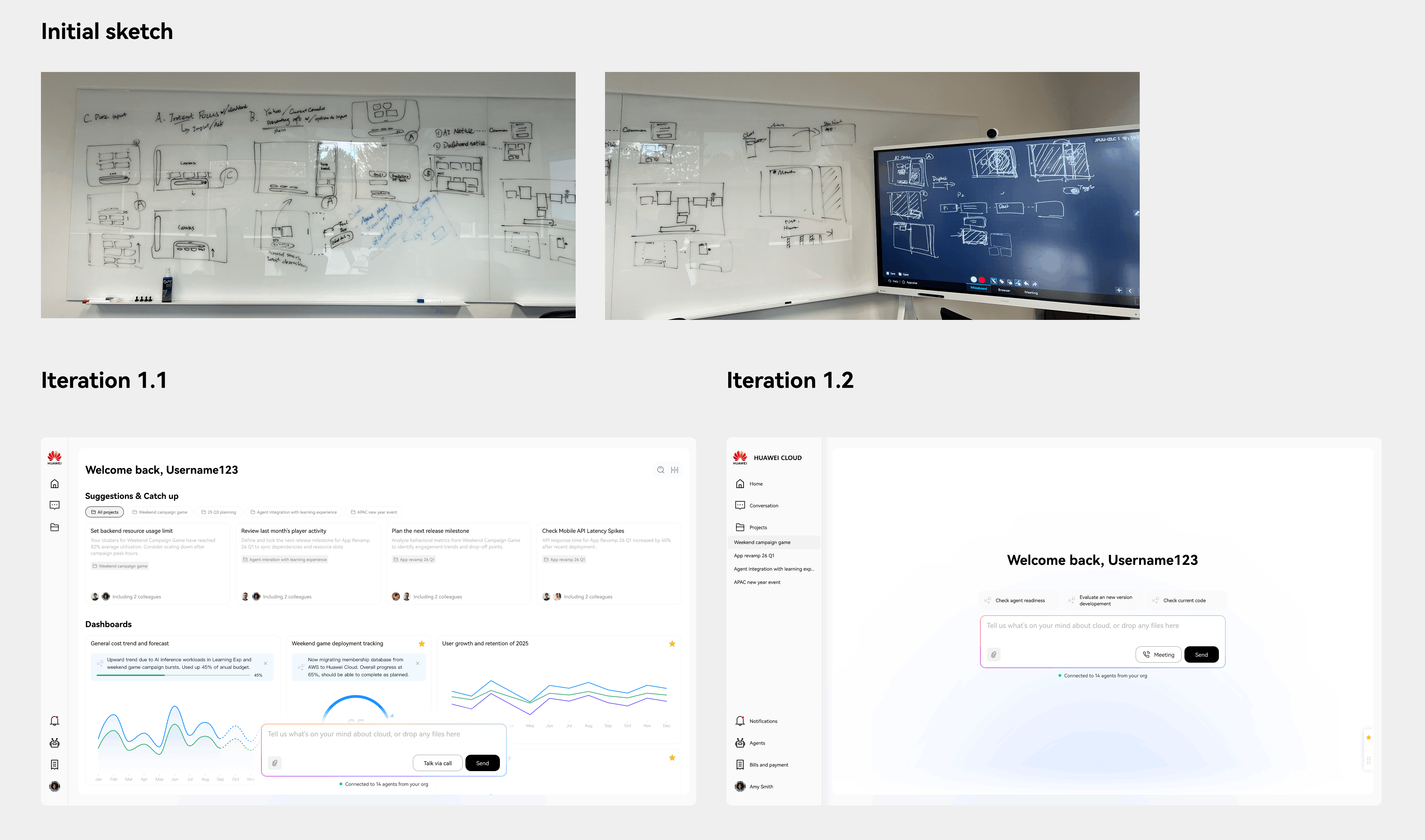
After quickly testing out with experts, people are saying they still want to have some stability while being AI native in the first place. So we move to a second iteration, featuring input implication with user fixed dashboard on second screen.
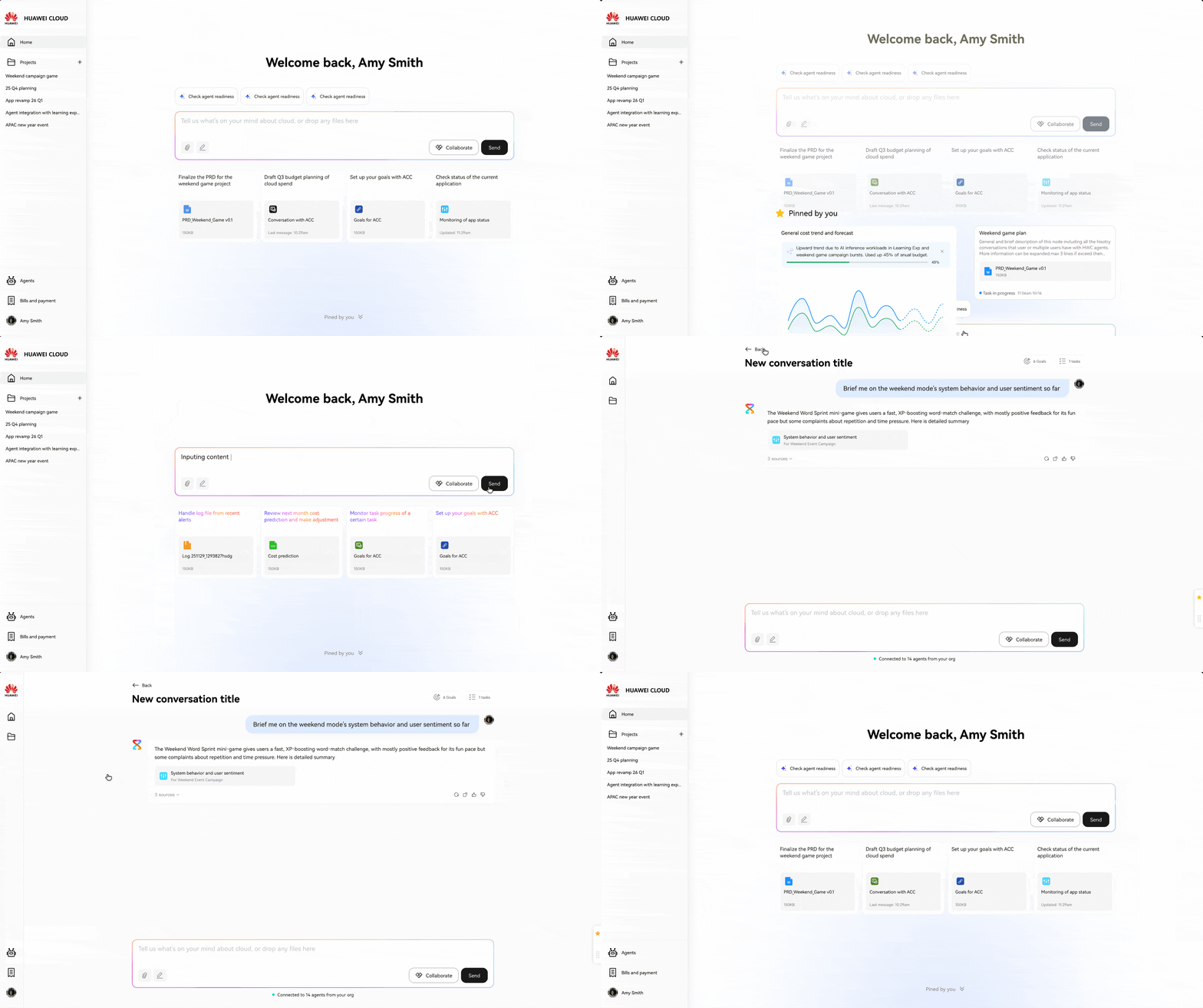
Intent canvas - new way to navigate conversations
An important design principle is the natural interaction. In a sense, natural language conversation might already sounds natural. But it has major contraints in complicated use cases. One outstanding pain, is how to manage and navigate them. I took a step back and revisit how human talk to human. We only memorize milestone elements in a conversation and many times there will be multiple topics in a conversation, with one or more people.
So the visualization and interaction should focus on :
- Reflecting logic
- Displaying milestone artifacts
- Collaborative
Just like how human create manage content in history, I designed a intent canvas with each node representing a related conversion.
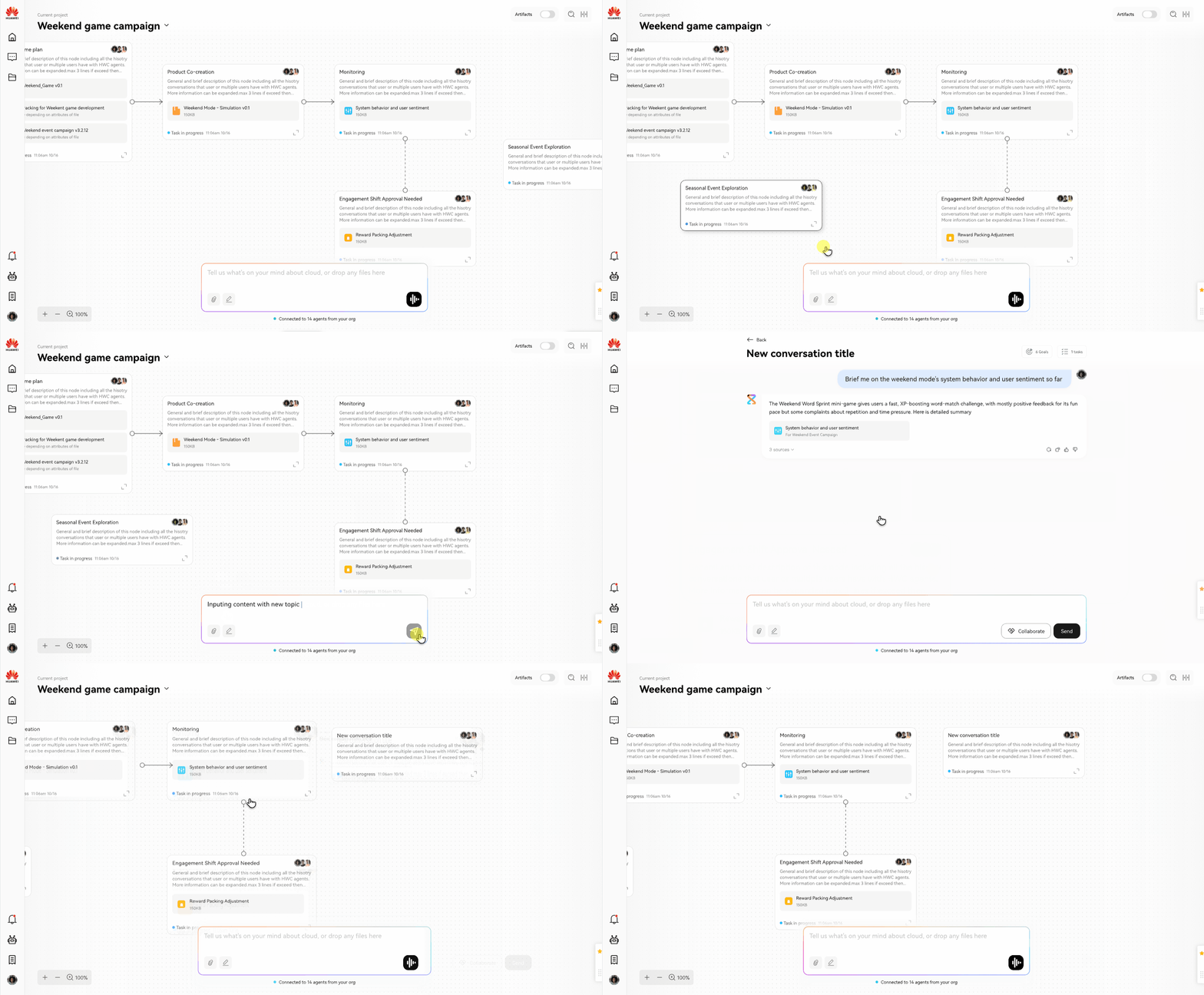
We use the dynamic artifact panel acting as “real time console dashboard”, only on demand and based on what user wants from the conversation.
Moving forward
While there will be a final round of internal expert testing, we are working with our front end engineer and AI engineer on building technical PoC for a vertical snippets of agentic system for this. A demo video is being processed as pitching materials for the team to get more resource next year.